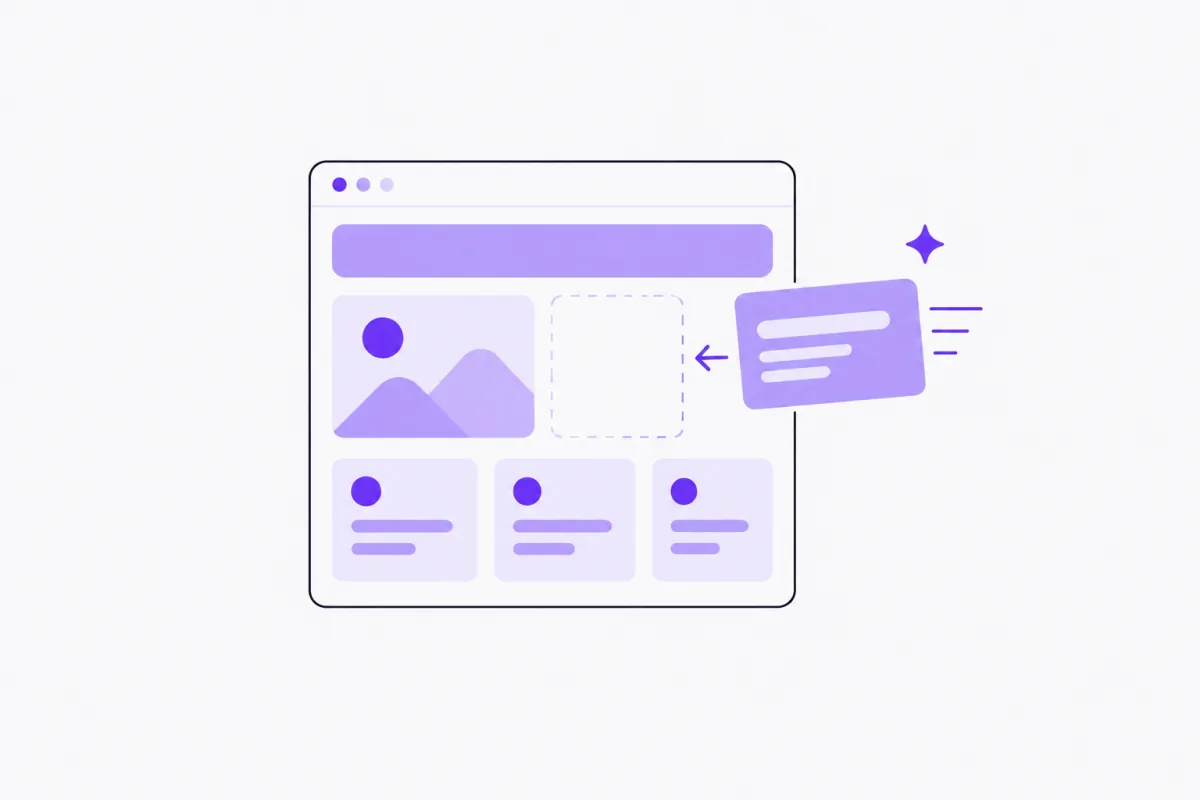
Most small businesses know they need a website and keep putting it off. Hiring a designer costs money and weeks. Website builders save the money but not the time: you still stare at a blank page, write every headline yourself, and then bolt on a booking tool, a contact form and a chat widget from three other companies.
An AI website builder for small business starts from the other end. You answer a few questions about your business, and the AI writes the first draft of your site: the headline, your services, an about section, an FAQ and the text Google reads. You review it, change anything you like, and publish. In Aiva Chat, the site also comes with booking at /book, your store at /shop, website chat and contact forms already connected, because those are part of the same product.
This guide explains how the Aiva Chat AI website builder works step by step, what's built in, what it costs, where it fits and where it doesn't. It sticks to what the product does. There are no templates to buy and no promise of Google rankings, and some limits are worth knowing before you start. Any business examples are illustrative.
The businesses described in this post are illustrative examples, not real customers or results.
What is an AI website builder for small business?
An AI website builder writes the first version of your website from information you give it, instead of handing you an empty template. In Aiva Chat, it's part of the same account that answers your calls, takes bookings and runs your store.
You answer a few questions. The AI drafts the words. You choose a style, check the details, and publish to your workspace address, such as yourbusiness.aivachat.io. See the website builder overview.
What makes it different from a general-purpose builder is what's connected on day one:
- A booking page at
/book, using the same booking rules as your phone line and chat. - Your store at
/shop, a searchable catalog with WhatsApp ordering and pickup. - Website chat, so the assistant answers visitors from the first day.
- Forms, so contact and enquiry messages land in your leads.
- Search-ready pages, with titles, descriptions and structured business details set for you.
- Styles you can pick and change at any time.
How the AI website builder works
Step 1: Tell it about your business
Open Website & leads → Website in the dashboard and click Write with AI. Answer a short set of questions: your business name, what you do and your main services, where you work, what makes you different, and the tone you want, from Friendly, Professional, Premium or Playful.
Step 2: Let the AI write the draft
Click Write my page. Aiva Chat drafts your headline, services, about text, FAQ and search text. It uses your OpenAI key. It never makes up reviews, prices or awards, and your business details stay as you entered them.
Step 3: Review and edit every section
Read the draft and change anything. The page is built from sections: the top of the page, Services (up to 12), Book online, About, Reviews (up to six, real ones only), Opening hours, FAQ (up to 10) and a Contact form. Move them up or down, hide them, and rename their menu labels. You can add up to four text sections or call-to-action banners.
Step 4: Choose the look
On the Design tab, upload your logo and start from a style: Professional, Friendly, Bold, Elegant, Fresh or Calm. Then set your brand and accent colours, a font, a button shape and the style of the top of the page. On Header & footer, choose the header button, menu links and footer details.
Step 5: Add your business details and ways to reach you
Fill in your business name, tagline, phone, email, address, area served, price range and Google Business Profile link. Use your Aiva Chat number as the phone, so calls reach your AI receptionist. Pick the booking page, the contact form and the assistant whose chat appears on the site.
Step 6: Set up search and publish
Write a search title and description, and paste a Google Search Console code if you use it. Click Publish. Every publish passes a quick AI content check on your key. The site goes live at your address, is sent to Google, and is linked from your Aiva Find listing.
What's built into every Aiva Chat website
Booking at /book
Turn on the Book online section, and visitors book at your site's /book address in your site's design. They book with the same rules as your phone and chat, including staff, approvals, classes and several locations if you use them. The section can show the next free times. See Aiva Chat bookings for what the booking system covers.
Your store at /shop
If you sell products, your catalog lives at /shop. Customers search it, filter by brand, and reserve for pickup, request a quote or order on WhatsApp. There's no online checkout; you take payment your usual way. See the Aiva Chat store.
Website chat
Choose an assistant, and its chat appears on your live site. Visitors type or talk to it by voice in the browser. It answers from your business information, books appointments and shows product cards from your store. See website chat.
Contact forms that become leads
Contact form messages are emailed to you and filed as leads, and your home page's lead sources count them as coming from your website.
Search basics, set up for you
When the site is live, Aiva Chat adds LocalBusiness structured data from your business details and hours, FAQ data when the FAQ section is shown, a sitemap and a robots file. Google explains what LocalBusiness structured data is used for.
Benefits of an AI website builder for a small business
You start from a draft, not a blank page
The hardest part of a website for most owners is the words. A draft written from your own answers gets you to something you can edit in minutes. You stay the editor; the AI does the first pass.
Booking, shop and chat are connected, not bolted on
A separate booking tool, chat widget and product page each need their own setup, login and bill, and they don't share rules. In Aiva Chat they share one appointment book and one catalog, so a slot booked on the phone is gone on the website too.
No developer needed
You don't write code or install plugins. The site runs at your workspace address. If you change that address, which you can do up to three times in 30 days, the site moves with it.
Updates take seconds
Change a service, add an FAQ, or swap a photo, then publish the changes. Services and hours come from the same business information the AI uses on calls, so the site and the phone say the same thing.
One price for the lot
The website comes with your Aiva Chat plan: $49, $99 or $199 a month. AI usage is billed by OpenAI on your own key and call minutes by Twilio on your own account, with no markup.
Use cases: who the AI website builder suits
A salon or barbershop with no website
A salon answers the questions, keeps the AI's services section, adds its own photos and real reviews, and turns on Book online. Customers book from the site, the phone or chat, with the same staff rules.
A shop that sells on WhatsApp
A small shop has a catalog in Aiva Chat but no site. Publishing a website gives the store a home page, opening hours and a contact form, with /shop linked in the menu.
A clinic or consultancy that needs a clear, simple site
A practice wants a professional page with services, hours, an FAQ and a way to book. It picks the Professional style and a Professional tone, then edits the draft to its own wording.
A business whose old site stopped working
An owner whose old site was built by a relative and can't be edited starts again. If they'd rather keep their old site, they can add website chat with one script tag instead.
AI website builder vs other ways to get a website
| Aiva Chat AI website builder | General website builder | Designer-built site | |
|---|---|---|---|
| Who writes the words | AI draft from your answers, you edit | You, from a template | You or a copywriter |
| Booking | Built in at /book | Usually an add-on or separate app | Integrated separately |
| Product catalog | Built in at /shop, no checkout | Often an e-commerce plan with checkout | Integrated separately |
| Website chat that books | Built in | Third-party widget | Third-party widget |
| Search basics | Titles, descriptions, structured details, sitemap | Usually included | Depends on the designer |
| Design control | Styles, colours, fonts, sections | Extensive | Full |
| Online payment | No | Often available | Possible |
| Developer needed | No | No | Yes |
The trade-off is control. A general builder or a designer gives you more freedom over layout and design, and online payments if you need them. The Aiva Chat builder is quicker and connects booking, store and chat to the same rules as your phone line, but its layout is a set of sections you arrange rather than a free canvas.
How to get the best out of the AI writer
Step 1: Give specific answers
"Haircuts" produces a generic draft. "Men's and women's cuts, colour, keratin treatments, walk-ins on weekdays" produces a useful one. The AI can only be as specific as your answers.
Step 2: Say what makes you different
Your hours, your area, your experience, your languages, your speciality. This is the line most owners skip, and it's what makes a page sound like your business.
Step 3: Edit the draft into your own voice
Change the words you wouldn't say. Remove anything you can't stand behind.
Step 4: Add real proof
Real reviews (with permission), real photos, real opening hours. Skip anything you'd have to invent.
Step 5: Write the search title and description
Under 60 characters for the title and 140 to 160 for the description is best. Include what you do and where.
Step 6: Test the booking and chat
Before you share the link, book a test appointment on /book and ask the website chat a few real questions.
Common mistakes with AI-written websites
Publishing the first draft unread
The draft is a starting point. Read every line and correct what isn't right for your business.
Adding invented reviews or awards
Never add reviews that aren't real. The AI won't invent them, and you shouldn't either.
Expecting instant rankings
Google's own SEO starter guide is clear that there's no secret that ranks a site first automatically. A well-structured site helps Google understand you; useful content and a complete Google Business Profile do the rest over time.
Leaving the phone number as a personal mobile
Use your Aiva Chat number, so calls from the site reach the AI receptionist and get answered.
Forgetting to turn on Book online
A beautiful page with no booking button wastes visitors. Pick a booking page and switch the section on.
Best practices for a small business website
- Answer the AI's questions in detail, especially services and what makes you different.
- Keep the services list short and clear, at most 12.
- Use real reviews only, with permission.
- Turn on Book online and website chat so visitors can act straight away.
- Write a search title and description that say what you do and where.
- Keep hours and services current, because the phone AI and the site read the same details.
- Read our guide to one website for booking, store and chat for how the parts connect.
Conclusion
An AI website builder for small business solves the part of getting online that stops most owners: writing the first draft. In Aiva Chat, you answer a few questions, the AI writes your headline, services, about text, FAQ and search text, and you edit and publish. Booking at /book, your store at /shop, website chat and contact forms come connected, using the same rules as your phone line.
It isn't the right tool for everyone. If you need a free-form design canvas or online payments, a general website builder or a designer will serve you better. No builder can promise a Google ranking either; what Aiva Chat does is set up the search basics and send your site to Google.
If you want a clear, accurate site that books and answers customers, without a developer or three extra tools, try it on your own business. Build and preview during the free trial, and publish when you're happy with every line.
Ready to build your website?
Start a 14-day free trial, no card needed, answer the questions and see your draft. You can build and preview the whole site during the trial; publishing needs a paid plan, from $49 a month, with bookings, the store, calls and website chat included.
Start free, read the step-by-step website guide, or compare plans.
Written by
The Aiva Chat team
Aiva Chat
Posts from the people building Aiva Chat in Rajkot — how the product works, what we have learned building it, and guides for getting the most out of an AI receptionist.
Rajkot, India · at Aiva Chat since 2024
More posts

